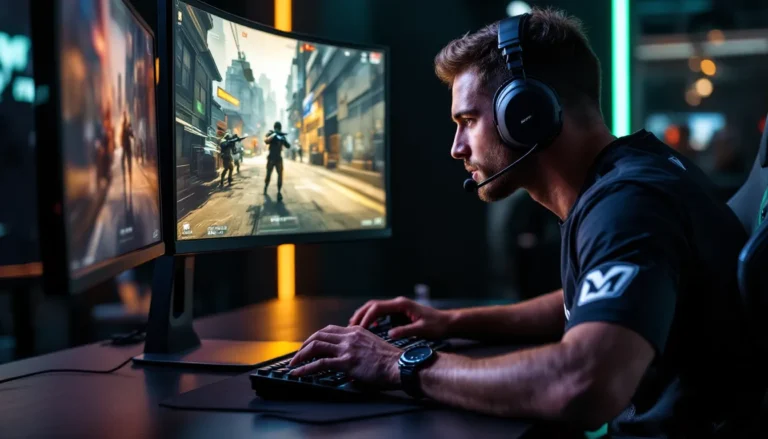
If you’re still gaming on a standard LED display, you’re missing out on what might be the single biggest visual upgrade you can make to your setup. OLED technology has matured from a niche luxury into the go-to choice for serious gamers who want razor-sharp motion clarity, infinite contrast, and colors that pop off the screen. Whether you’re chasing frames in competitive shooters or soaking in the atmosphere of story-driven RPGs, the right OLED can transform how games look and feel.
But here’s the thing: not all OLEDs are built the same. Some prioritize cinematic size for couch gaming, while others dial in ultra-high refresh rates for desktop esports. You’ve got burn-in concerns, price tiers, and a whole alphabet soup of panel tech to wade through. This guide cuts through the noise and breaks down the best OLED displays for gaming in 2026, whether you’re hunting for a TV to pair with your PS5 or a monitor that can keep up with your 4090.
Table of Contents
ToggleKey Takeaways
- OLED for gaming offers infinite contrast, sub-0.1ms response times, and true black levels that fundamentally outperform LED-backlit displays in motion clarity and visual impact.
- Modern OLED panels include burn-in protection through pixel shifting and logo dimming, with manufacturers now offering 5-year warranties, making burn-in less of a concern than myths suggest.
- The best OLED display depends on your use case: prioritize 120Hz+ refresh rates and VRR support for consoles, choose 144Hz+ for PC gaming, and match screen size to your seating distance for optimal gaming experience.
- Top recommendations include the LG G4 OLED for premium TV gaming, Sony A95L QD-OLED for mid-range value, Alienware AW3423DWF ultrawide for immersive PC gaming, and ASUS ROG Swift OLED for competitive esports.
- OLED defeats QLED and Mini-LED in response time and black levels, making it the superior choice for gaming in controlled lighting, though QLED is better for bright rooms with 2,000+ nits peak brightness.
- Enabling Game Mode, disabling motion smoothing, and properly calibrating HDR settings maximize your OLED gaming performance while minimizing input lag below 10ms.
Why OLED Technology Is a Game-Changer for Gamers
OLED panels operate fundamentally differently from traditional LED-backlit displays. Each pixel emits its own light, which means when a pixel is off, it’s completely dark, no backlight bleed, no edge dimming tricks. That architectural difference translates into tangible benefits that hit hard when you’re in the middle of a firefight or exploring a shadowy dungeon.
Superior Contrast and True Blacks
The infinite contrast ratio isn’t marketing fluff, it’s physics. When you’re sneaking through the sewers in Resident Evil 4 Remake or exploring dark corridors in Dead Space, OLED’s per-pixel lighting means shadows are actually black, not washed-out grey. You can spot enemies hiding in darkness without cranking brightness to uncomfortable levels.
This also matters for HDR content. When a game’s lighting engine wants to show a dim room with a bright window, OLED can deliver both the deep blacks in the corners and the blazing sunlight simultaneously. LED panels with full-array local dimming (FALD) try to compete here, but they’re working with zones of dozens or hundreds of LEDs, OLED works with millions of individual pixels.
Lightning-Fast Response Times
OLED pixels switch states in under 0.1ms, compared to 1-5ms for most IPS or VA gaming panels. That near-instantaneous response time eliminates motion blur and ghosting, which is critical when you’re tracking fast-moving targets.
In competitive titles like Valorant, Apex Legends, or Call of Duty, that clarity during rapid camera pans gives you a legitimate edge. You’re not fighting your display to see what’s happening during a 180-degree flick. The pixels just keep up.
Vibrant Colors and HDR Performance
Modern OLED panels cover 99%+ of the DCI-P3 color gamut, which is the standard for HDR content in games and film. Colors are punchy without being oversaturated, and the lack of a backlight means no light pollution between adjacent colors.
When you’re watching that HDR highlight reel in Forza Motorsport or catching a sunset in Ghost of Tsushima, OLED delivers the director’s intent. Pair that with per-pixel brightness control, and HDR content actually looks like HDR, not the muddy approximation you get from edge-lit panels.
Key Features to Consider When Choosing a Gaming OLED
Not every OLED is tuned for gaming. Some prioritize film accuracy, others chase peak brightness for daytime viewing. Here’s what actually matters when you’re shopping for a display that’ll spend most of its life rendering game engines.
Refresh Rate and VRR Support
In 2026, 120Hz is the baseline for any serious gaming OLED. That’s enough to take full advantage of PS5, Xbox Series X, and mid-tier gaming PCs. If you’re running high-end hardware, look for 144Hz, 165Hz, or even 240Hz panels, they exist now in the monitor space.
Variable Refresh Rate (VRR) support is non-negotiable. That means HDMI 2.1 with ALLM (Auto Low Latency Mode) for consoles, and G-SYNC Compatible or FreeSync Premium certification for PC. VRR eliminates screen tearing without the input lag penalty of V-Sync, keeping frame delivery smooth even when your GPU can’t hold a locked framerate.
Input Lag and Response Time
Response time (pixel transition speed) and input lag (display processing delay) are separate metrics, and both matter. OLED’s sub-0.1ms response time is a given, but input lag varies based on image processing.
Look for displays with a dedicated Game Mode that bypasses motion smoothing and heavy post-processing. Top-tier gaming OLEDs hit under 10ms of input lag at 4K/120Hz, which is imperceptible. Anything above 20ms starts to feel sluggish in twitchy shooters or fighting games.
Burn-In Protection and Panel Longevity
Burn-in is real, but it’s been overblown. Modern OLEDs (especially those using LG’s WOLED or Samsung’s QD-OLED panels) include aggressive mitigation: pixel shifting, logo dimming, screen savers, and automatic brightness limiting for static elements.
For gaming specifically, burn-in risk is lower than you’d think. Most games don’t have persistent static UI elements in the same spot for thousands of hours. HUDs are transparent or move slightly, loading screens rotate, and most gamers don’t leave a paused game on-screen for days.
That said, avoid using an OLED as a dedicated productivity monitor if you’re going to stare at the same white taskbar and browser tabs for 8 hours a day. For gaming? You’ll likely upgrade before burn-in becomes an issue, especially with the warranty coverage most manufacturers now offer.
Screen Size and Resolution Options
For TVs, the sweet spot is 55-65 inches if you’re sitting 6-10 feet away on a couch. Go bigger (77-83 inches) if you have the space and budget, but don’t go smaller than 48 inches, at that point, you’re better off with a dedicated monitor.
Resolution-wise, 4K (3840×2160) is standard across OLED TVs. For monitors, you’ll see 1440p (2560×1440) ultrawide options and 4K panels in the 27-32 inch range. Unless you’re running top-tier hardware, 1440p at high refresh rates is often the smarter pick than native 4K.
Best OLED TVs for Console and PC Gaming
OLED TVs deliver the cinematic scale and HDR punch that console gaming was designed for. Here are the top picks across different price tiers in 2026.
Premium Pick for Ultimate Performance
LG G4 OLED evo (77-inch) remains the flagship choice for no-compromise gaming. LG’s latest MLA (Micro Lens Array) panel pushes peak brightness past 1,500 nits in HDR, which helps OLED compete in bright rooms without sacrificing contrast.
You’re getting four HDMI 2.1 ports with full 4K/120Hz support, VRR, and sub-10ms input lag in Game Mode. The webOS smart platform is snappy, and the included gaming dashboard lets you monitor VRR status, framerate, and switch picture modes on the fly.
The G4’s α11 AI processor does a solid job upscaling lower-resolution content, which matters if you’re still playing older titles or streaming at 1080p. It’s pricey, expect to drop around $3,200 for the 77-inch model, but you’re future-proofed for the entire console generation.
Best Mid-Range OLED for Value
Sony A95L QD-OLED (55-inch) hits the sweet spot between performance and price. Sony’s using Samsung’s QD-OLED panel tech, which delivers wider color volume than traditional WOLED and slightly better brightness in HDR highlights.
The A95L’s XR Cognitive Processor excels at motion handling, which is a big deal for 30fps console games that need all the help they can get to look smooth. You’re looking at about $2,200 for the 55-inch variant, and it includes HDMI 2.1, VRR, and Sony’s stellar color science straight out of the box.
One quirk: Sony’s UI is a bit slower than LG’s, and it only has two HDMI 2.1 ports instead of four. If you’re juggling a PS5, Xbox, and PC, you’ll need an HDMI switcher.
Top Budget-Friendly OLED Option
LG B4 OLED (48-inch) is the entry point for OLED gaming in 2026, coming in around $1,100. It’s using an older α9 processor instead of the flagship α11, so you lose some upscaling finesse and a bit of peak brightness (around 800 nits in HDR instead of 1,200+).
But the core gaming specs are intact: 4K/120Hz, VRR, ALLM, and that signature OLED motion clarity. The 48-inch size is borderline too small for traditional living room setups, but it’s perfect if you’re gaming at a desk or in a smaller space. Testing from RTINGS confirms that the B4 series maintains the same sub-1ms response time as LG’s premium models, proving that you don’t sacrifice motion performance at this price tier.
Best OLED Monitors for Competitive PC Gaming
Monitors are where OLED tech gets really interesting for PC gamers. You’re trading screen size for higher refresh rates, better pixel density, and desk-friendly form factors.
Ultra-Wide OLED for Immersive Gameplay
Alienware AW3423DWF (34-inch ultrawide) redefined what ultrawide gaming could look like when it launched, and the latest revision in 2026 keeps that crown. You’re getting a 3440×1440 resolution at 165Hz with Samsung’s QD-OLED panel.
The 1800R curve wraps around your peripheral vision without feeling gimmicky, and the 21:9 aspect ratio is a legitimate advantage in open-world games, racing sims, and even some competitive shooters (depending on the game’s FOV implementation). It’s G-SYNC Ultimate certified and typically hovers around $950.
One heads-up: at 34 inches and 1440p ultrawide, pixel density is roughly 110 PPI. That’s fine for gaming, but text rendering can look slightly softer than a 27-inch 4K display if you’re doing productivity work.
High Refresh Rate OLED for Esports
ASUS ROG Swift OLED PG27AQDM (27-inch) is built for competitive play. You’re getting 2560×1440 at 240Hz with a 0.03ms response time. That’s overkill for most gamers, but if you’re grinding ranked in CS2, Valorant, or Overwatch 2, you’ll feel the difference.
ASUS includes a custom heatsink and aggressive firmware-level burn-in protection, which is smart given the static UI elements in esports titles. Price sits around $850, and you’re getting both G-SYNC Compatible and FreeSync Premium Pro certification.
The 27-inch, 1440p combo gives you 109 PPI, which is sharp enough for desktop use without requiring Windows scaling. Colors are punchy thanks to the QD-OLED panel, though you’ll want to dial down saturation a bit for color-critical work.
Compact OLED Monitor for Desktop Setups
LG UltraGear OLED 27GS95QE (27-inch) offers a unique trick: it can toggle between 4K/120Hz and 1080p/240Hz via a firmware switch. That flexibility is killer if you play a mix of single-player AAA games and competitive shooters.
In 4K mode, you’re getting stunning clarity for story-driven titles where you can afford to dial back framerate. Flip to 1080p/240Hz, and you’ve got a competitive esports display without needing a second monitor. It’s priced around $800 and includes HDMI 2.1 and DisplayPort 1.4a.
The dual-mode feature does come with a quirk: switching requires a reboot and takes about 10 seconds. Not a huge deal, but it’s not instant. Detailed GPU benchmarks show that even mid-range cards like the RTX 4070 can push 240fps at 1080p in esports titles, making the dual-mode functionality genuinely useful rather than a gimmick.
OLED vs QLED vs Mini-LED: Which Is Best for Gaming?
Every display tech has trade-offs. Here’s how OLED stacks up against the competition in 2026.
Performance Comparison Across Display Technologies
OLED wins on contrast, response time, and black levels. No other tech can touch infinite contrast or sub-0.1ms pixel transitions. The downside is peak brightness (typically 800-1,500 nits) and burn-in risk, though both have improved dramatically.
QLED (quantum dot LED) offers higher peak brightness, often 2,000+ nits, and zero burn-in risk. But you’re still dealing with a backlight, which means blooming around bright objects on dark backgrounds and slower response times (1-5ms). QLED is great for bright rooms and mixed-use displays.
Mini-LED sits in the middle. It’s LED-backlit like QLED, but uses thousands of tiny LEDs in local dimming zones to approximate OLED’s per-pixel control. You get better contrast than QLED and higher brightness than OLED, but response times are still slower, and blooming can occur between zones.
For pure gaming performance, OLED wins on motion clarity and contrast. For HDR brightness in daylight, Mini-LED or QLED might be smarter. Recent comparisons from Hardware Times highlight that Mini-LED displays now rival OLED in contrast ratios when using over 1,000 dimming zones, though response time remains OLED’s trump card.
When to Choose OLED Over the Competition
Pick OLED if:
- You play in dim to moderately lit rooms (OLED’s brightness is fine: it’s not an issue unless you’re competing with direct sunlight)
- Motion clarity and response time matter to you (competitive shooters, racing games, action RPGs)
- You want true HDR with deep blacks and no blooming
- You’re primarily gaming, not using it as a mixed-use productivity display with static UI elements
Skip OLED if:
- Your gaming space is flooded with natural light and you can’t control it
- You’re planning to use it for 8+ hours a day of spreadsheet work or coding
- You need absolute maximum brightness for daytime HDR content
In 2026, OLED’s advantages are hard to ignore for dedicated gaming setups. The burn-in risks have been mitigated enough that it’s no longer the dealbreaker it was five years ago.
How to Optimize Your OLED Display for Gaming
Getting the most out of your OLED requires some upfront tweaking. Factory settings are rarely tuned for gaming right out of the box.
Calibration Settings for Different Game Genres
For competitive shooters and esports titles, enable Game Mode (or whatever your manufacturer calls low-latency mode). Turn off motion smoothing, noise reduction, and any “enhancement” features, they add processing delay. Crank contrast to max, set OLED Light/Brightness to 80-90, and dial color temperature to Warm or Warm2 to reduce eye strain during long sessions.
For single-player, story-driven games where visual fidelity beats response time, you can enable more post-processing. Cinema or Filmmaker Mode often delivers the most accurate colors. Enable HDR Tone Mapping if your game supports it, and let the display’s processor handle dynamic metadata (Dolby Vision or HDR10+).
For HDR content, make sure in-game brightness calibration is set correctly. Most games have you adjust a slider until a logo is “barely visible”, do this in the lighting conditions you’ll actually play in. Too bright, and you’ll clip highlights: too dim, and you’ll crush shadow detail.
Preventing Burn-In During Extended Gaming Sessions
Enable pixel shift and logo dimming in your display’s settings. Most OLEDs have these features buried in a menu: turn them on and forget about them.
Set a screen saver to activate after 5-10 minutes of inactivity. If you’re stepping away mid-game, pause and let the screen saver kick in. Don’t leave static menus or pause screens up for hours.
Rotate your content. If you’re grinding the same game for weeks, mix in some movies, different games, or full-screen content to keep pixel wear even. And for the love of all that’s holy, don’t leave your desktop on-screen overnight with a static taskbar.
Leveraging Game Mode and VRR Features
Make sure VRR is enabled both on your display and in your console/GPU settings. On PS5, it’s in Settings > Screen and Video > Video Output. On Xbox Series X, it’s under TV & Display Options. On PC, enable G-SYNC or FreeSync in your GPU control panel.
Some displays have a VRR Control setting that adjusts how aggressively the display syncs. If you’re seeing flicker in low-framerate scenes (below 40fps), look for a Low Framerate Compensation (LFC) toggle or a setting that locks VRR to a minimum refresh.
Test your setup with the in-game benchmarks or tools like Pendulum Demo to confirm VRR is active and tearing is eliminated. If you’re still seeing tearing, double-check cable specs, you need a certified Ultra High Speed HDMI cable for 4K/120Hz/VRR.
Common Misconceptions About Gaming on OLED
Let’s clear up some persistent myths that keep people from pulling the trigger on OLED.
“Burn-in will ruin the display within a year.” Not true. Modern OLEDs have warranties covering burn-in (LG offers 5 years on some models), and real-world testing shows it takes thousands of hours of the same static content to cause visible image retention. If you’re gaming with varied content, you’re fine.
“OLED isn’t bright enough for HDR.” OLED’s peak brightness (800-1,500 nits depending on the model) is lower than high-end Mini-LED, but HDR is about contrast range, not just peak brightness. OLED’s ability to hit true black means the perceptual HDR impact is often stronger than a brighter display with worse blacks.
“OLED has input lag because of processing.” Nope. With Game Mode enabled, flagship OLEDs are hitting under 10ms of input lag at 4K/120Hz, which is competitive with dedicated gaming monitors. The processing lag issue was real 5+ years ago: it’s been solved.
“You can’t use OLED in a bright room.” You can, it’s just not ideal. OLED’s anti-glare coatings have improved, and peak brightness in SDR (400-600 nits) is fine for most indoor lighting. You’ll struggle if you’re sitting directly in front of a window at noon, but so would most displays.
“All OLEDs are the same.” LG’s WOLED and Samsung’s QD-OLED use different subpixel structures and materials. QD-OLED tends to have slightly better color volume and brightness, while WOLED can be more resistant to burn-in. Panel lottery and manufacturing variance exist, but they’re less dramatic than IPS glow or VA black uniformity issues.
Conclusion
OLED has moved from “nice to have” to “you’re leaving performance on the table if you skip it” territory in 2026. Whether you’re leaning toward a massive TV for couch gaming or a high-refresh monitor for your battlestation, the core advantages, infinite contrast, instant response, and vibrant HDR, translate into a tangible upgrade.
Yes, you’ll pay a premium compared to LED alternatives. And yes, burn-in is something to be aware of, even if it’s been overblown. But if you’re serious about gaming and you’ve got the budget, OLED delivers an experience that’s hard to go back from. Just make sure you’re matching refresh rate, input lag, and size to your actual use case rather than chasing specs you won’t use.
Now go calibrate that display and enjoy what you’ve been missing.